
Heads-Up Display (HUD)
Challenge:
Create an experience for a phone management system that helps customers to stay on top of their business collaboration.
Deliverables:
User testing results. Persona. User flows. Sketches. UI. Prototype.
Role:
Product Designer
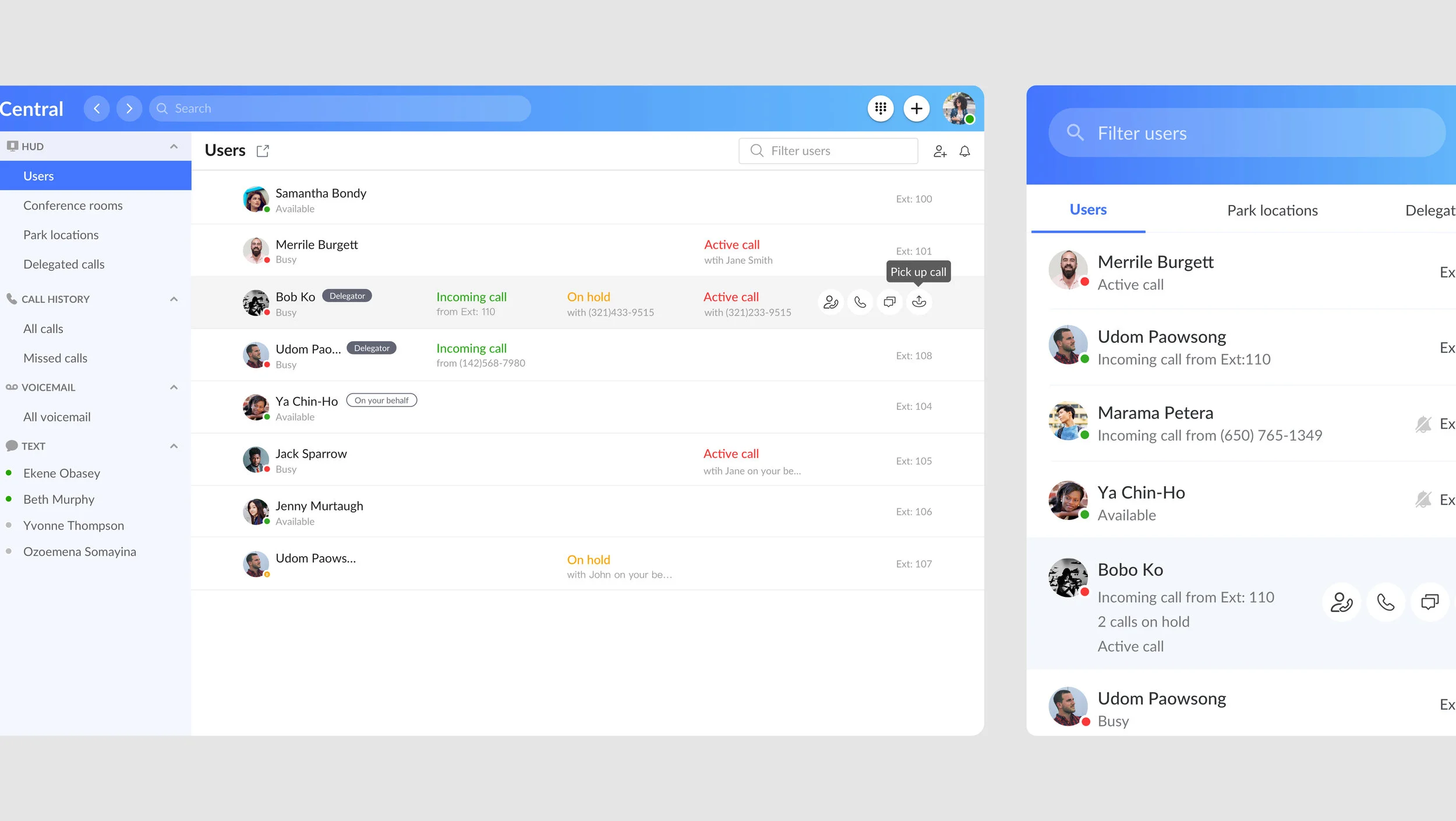
Heads-Up Display is a phone management tool for RingCentral that helps customers to receive incoming calls and manage extensions' presence in real-time.
Problem Statement:
1. Feature gap: NPS customers request to have a way to manage their delegated calls in the RingCentral unified office platform as the condition to migrate from our old app to new app. The old app does not serve the purpose of what client envisions, and there is no means to integrate features we offer in the new app such as video call, or multi-party conference call etc;
2. Management: the coordination between Agents and Supervisors has been handled manually by admins, which makes scaling difficult.
Process:
We started the process with user research to understand users' pain points, then analyzed our findings and defined the core tasks of the product, prioritized with stakeholders. We developed the concept into UI sketches and tested it with customers and client manager. It was then translated into hi-fi prototypes. Throughout the design process, I communicated milestones and presented works to get buy‐in from stakeholders and the sales team.
Research
Competitive analysis
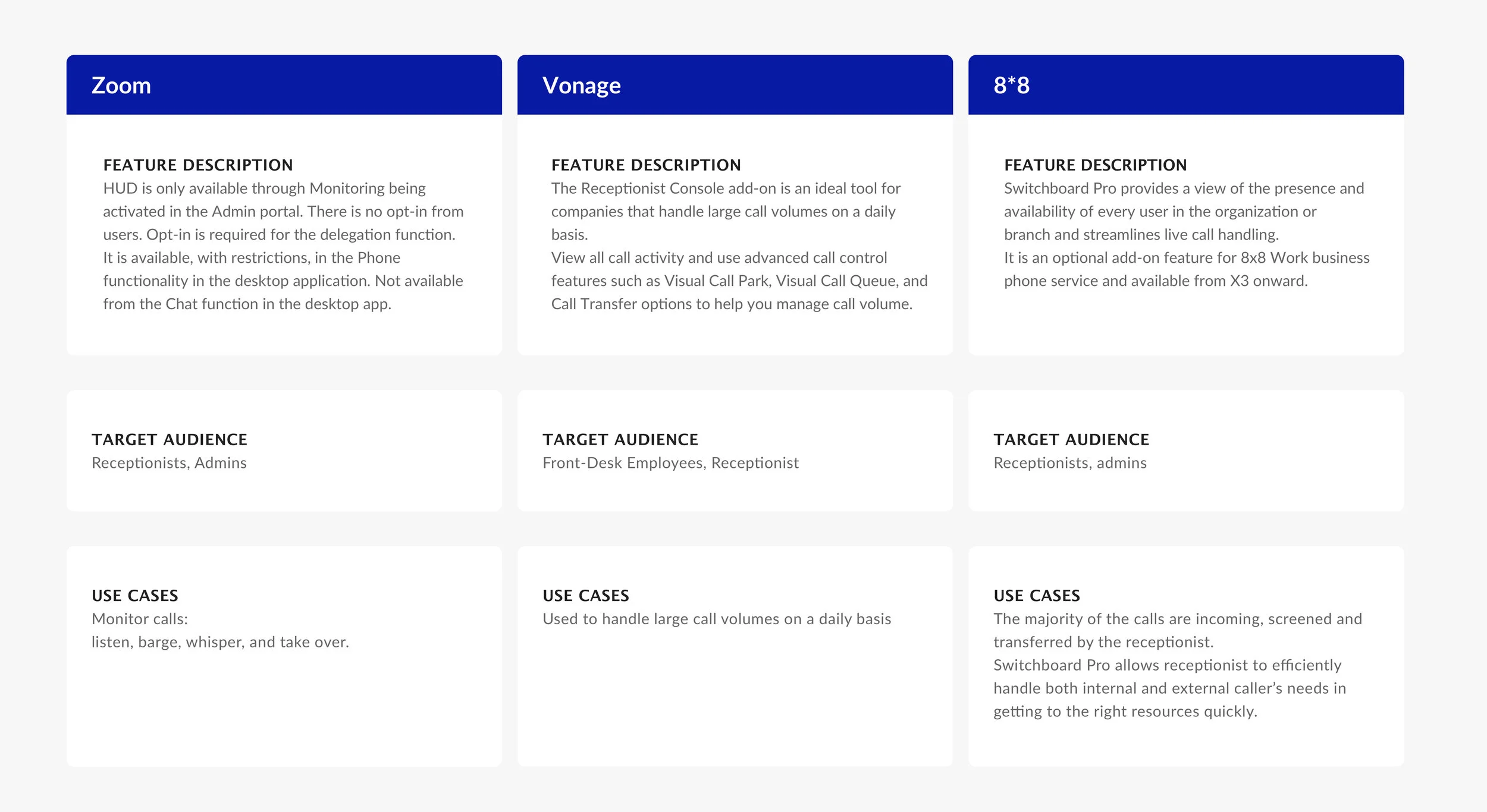
The initial step in our research was to understand successful patterns in current products and missing gaps in unique values. We explored 4 products and analyzed the good and bad of each competitor, and performed our points of analysis on: target audience, features, use cases.
User Interviews
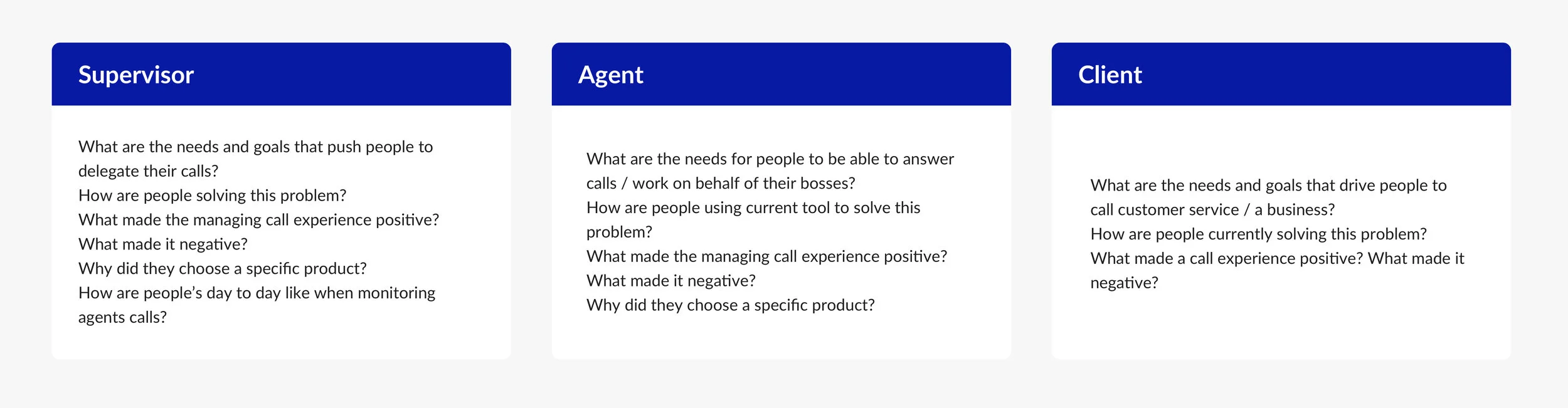
We interviewed 1 supervisors, 2 agents and 3 clients who have been using call management tools in the past, for this phase, I worked to create interview questions and curate the process.
Learning Goals
Synthesize
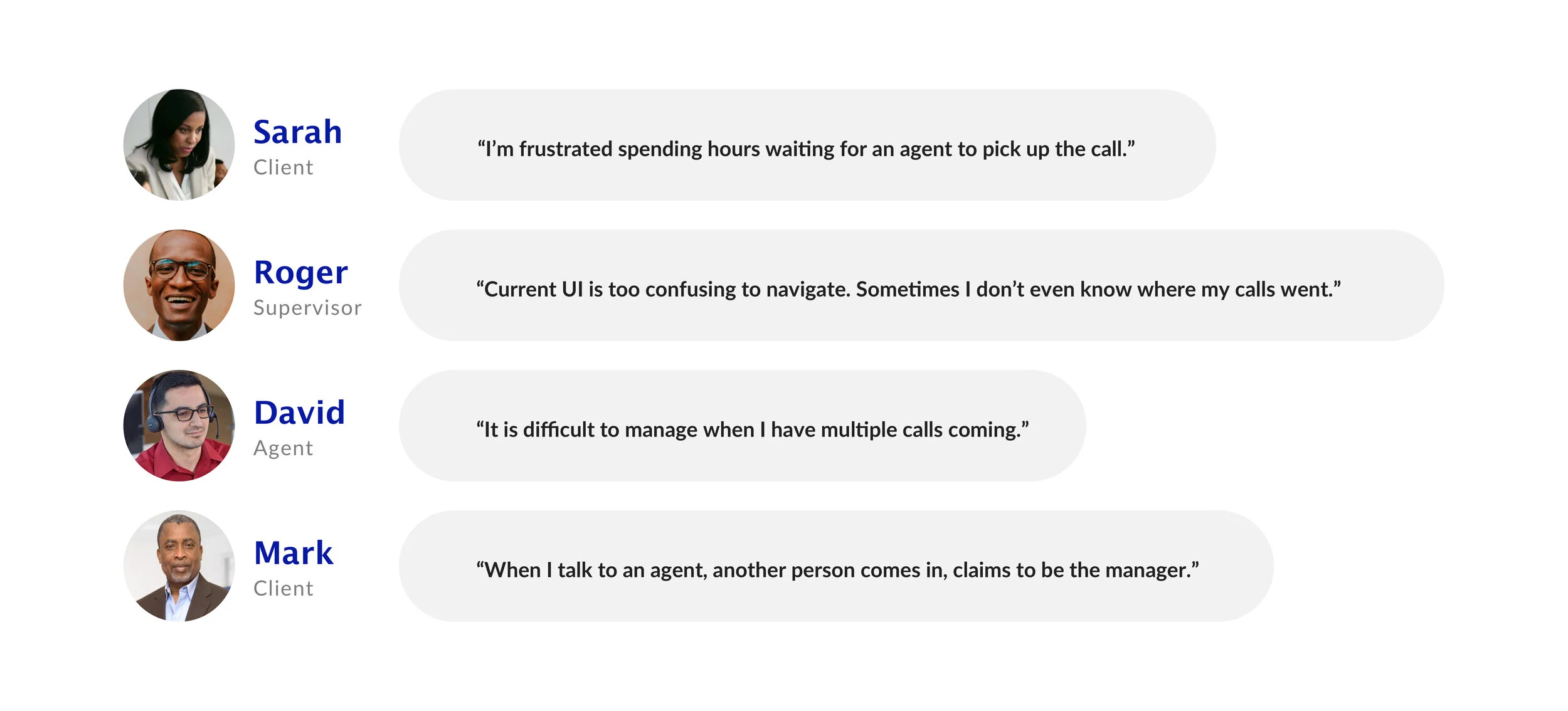
After talking with the customers, some quotes that uncovered key pain points:
User findings
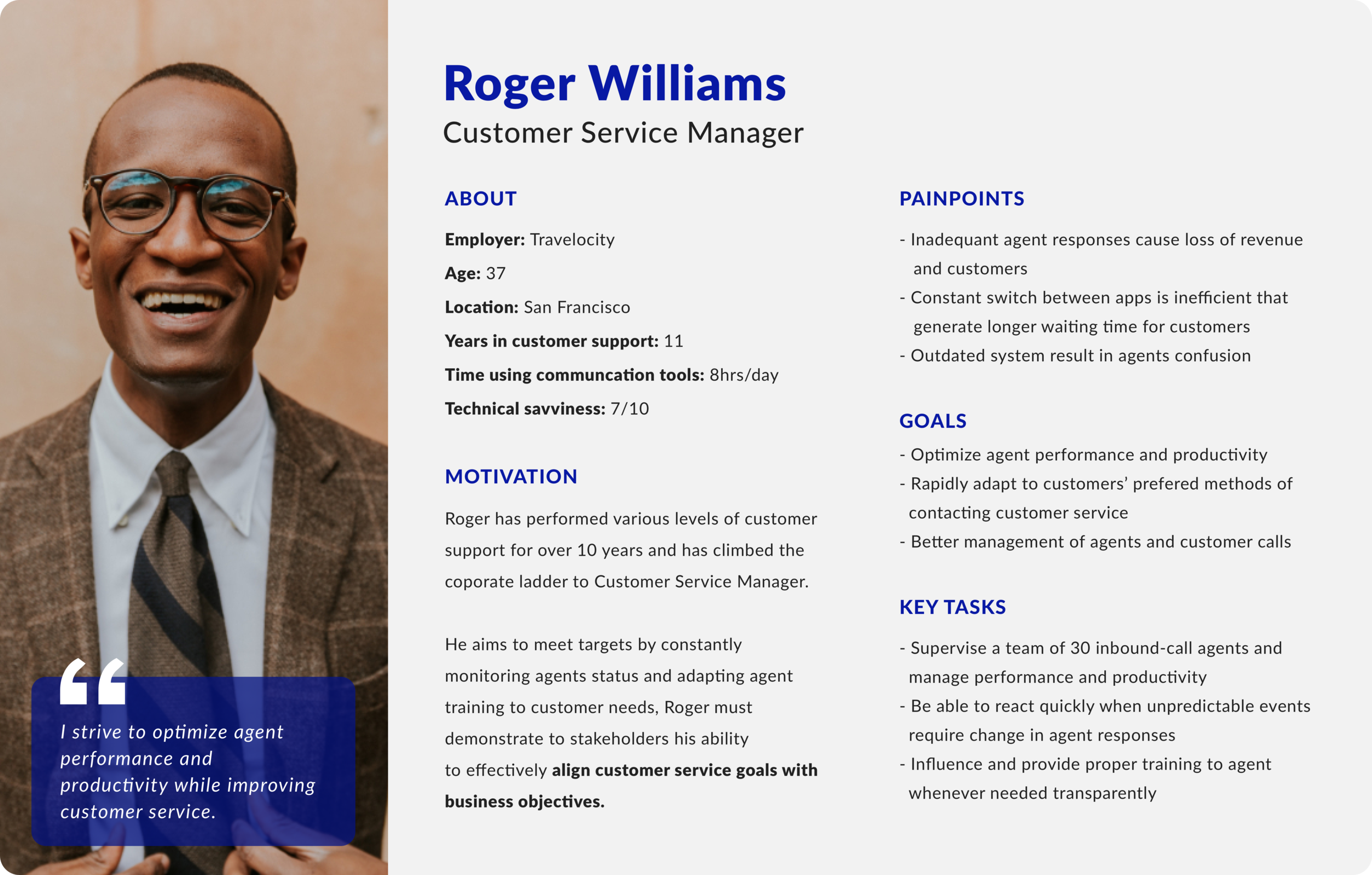
The findings from our research were then organized on an affinity map to better understand their relationship to each other and to determine our priorities moving forward in the process. With the 3 ways market connecting among Supervisors, Agents and Clients to make call management works, we created provisional personas for each side. During this phase, I worked on Supervisor persona and iterated on it while referring to our problems and goals.
Ideate
Concept and Strategy
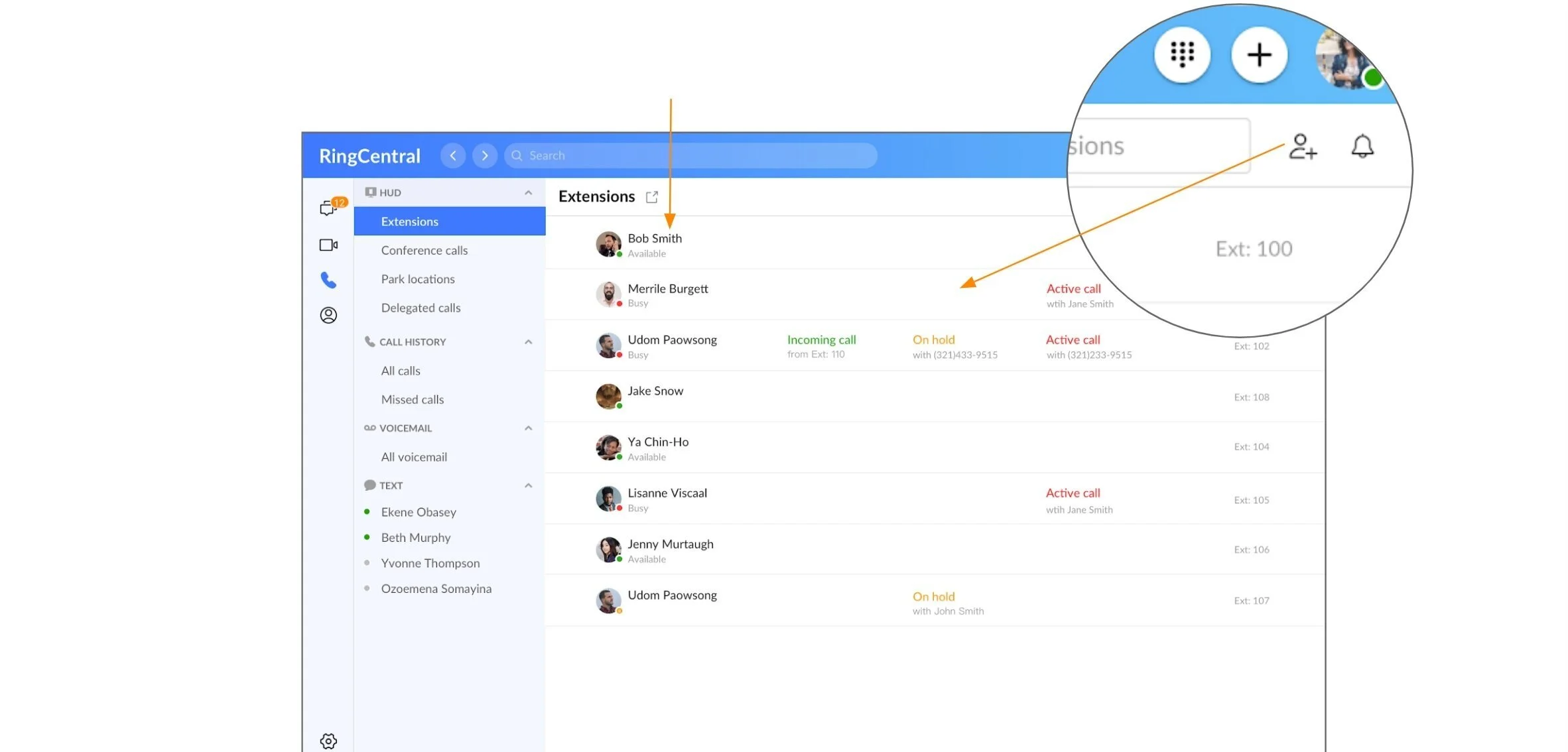
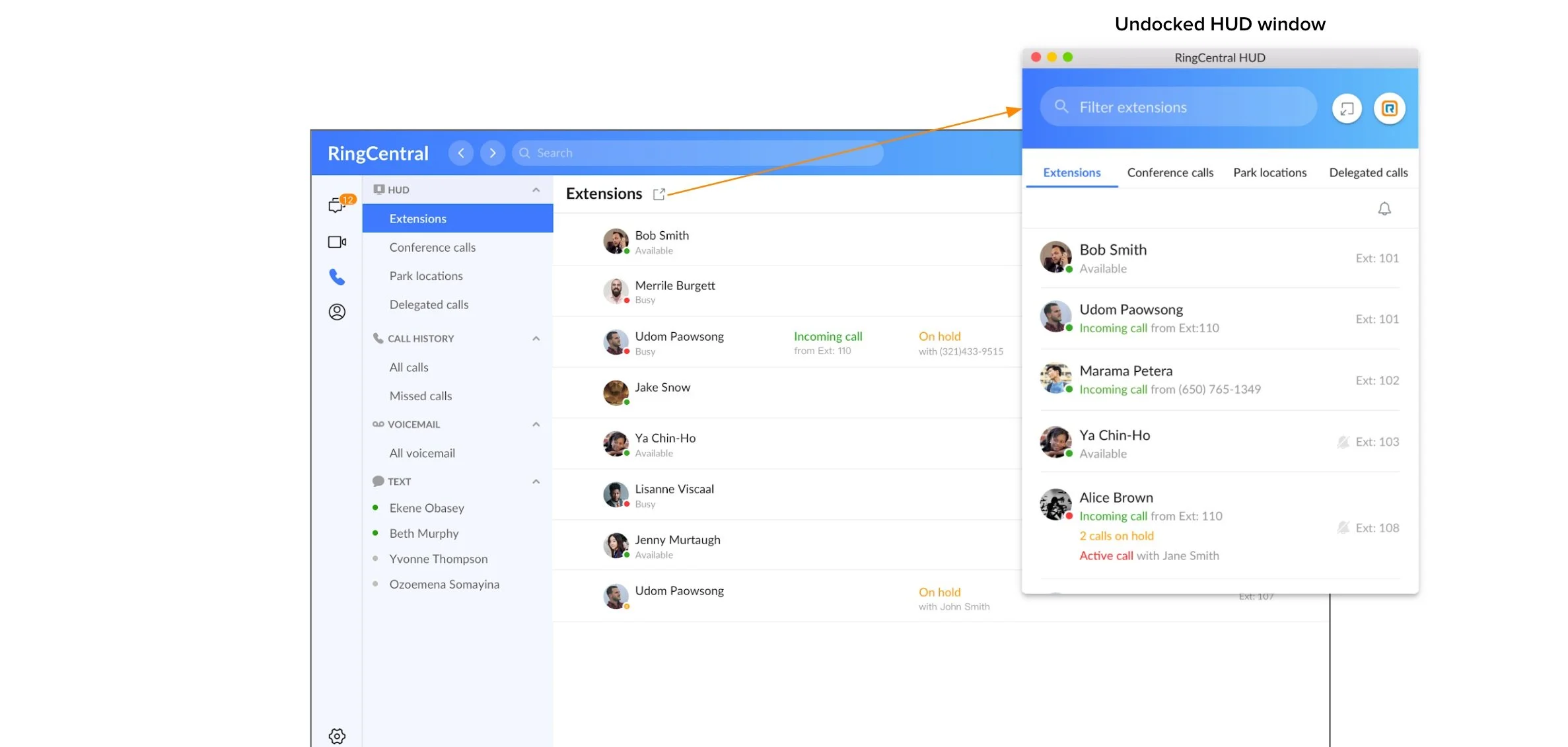
Admin assistants can leverage the extension list to closely monitor their colleagues’ status. To avoid the chaotic part of multiple incoming calls and the long waiting time for the customers - which is painful, HUD provides a platform where the admin assistants can easily manage incoming calls by answering them if the agent is not available at the moment, or transfer/park the call to whom available. On top of managing calls, assistants can also manage the list by adding/deleting/reordering based on their daily priorities.
Site Map & User Flows
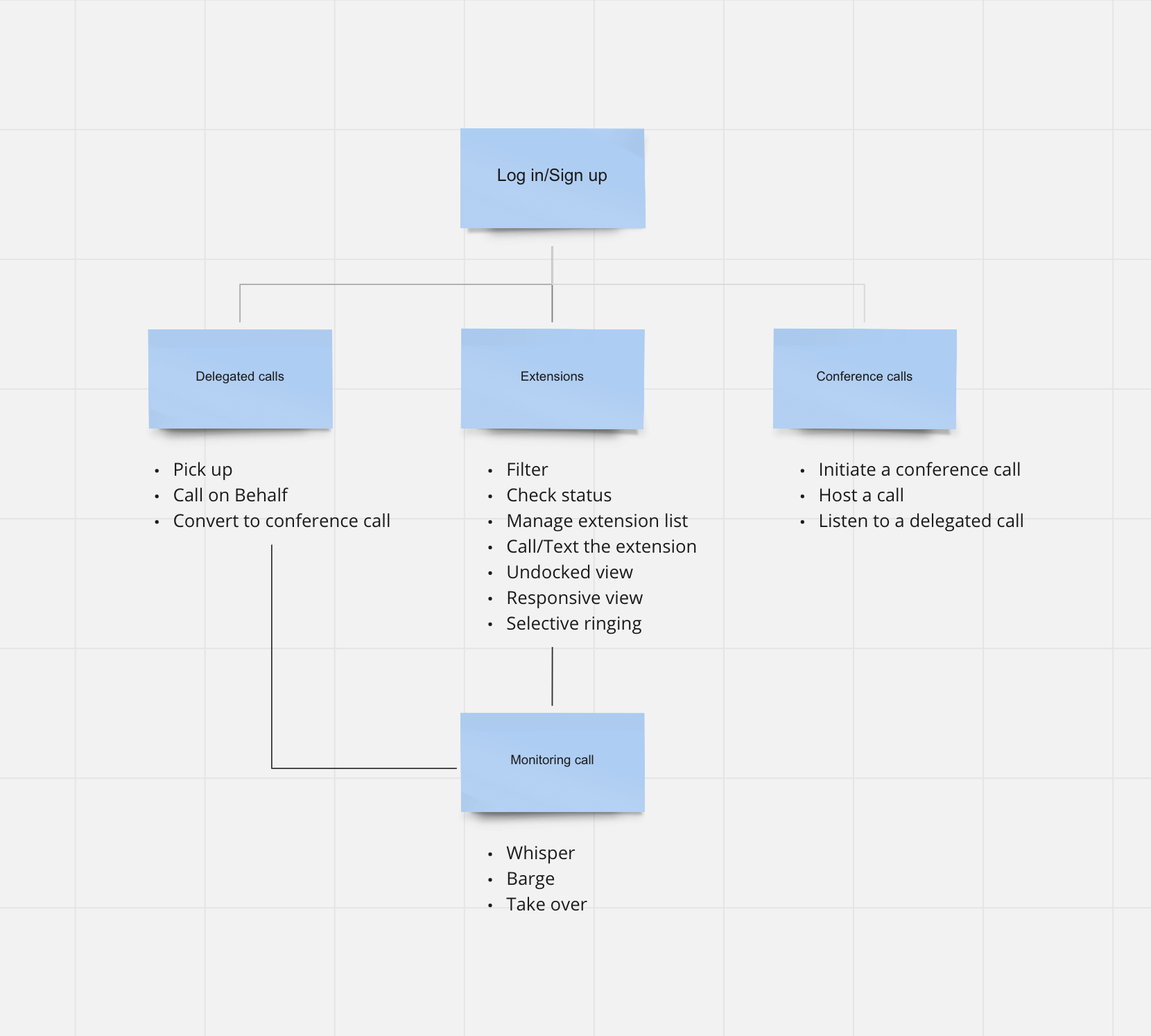
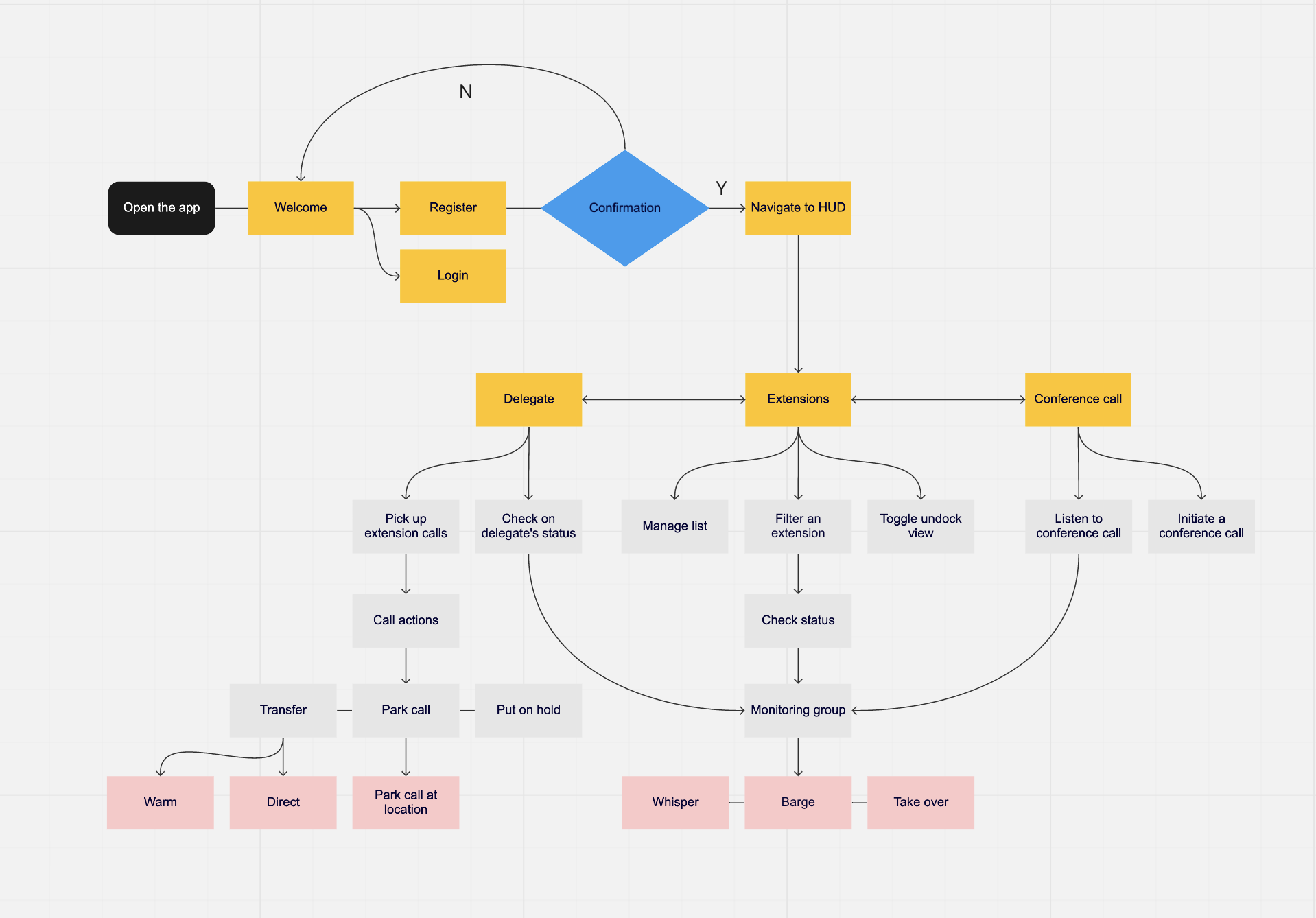
To communicate the concept and information architecture, I generated the site map, user flows and worked together with the stakeholders to nail down product frameworks.
Site map:
User flows:
Lo-Fi sketches
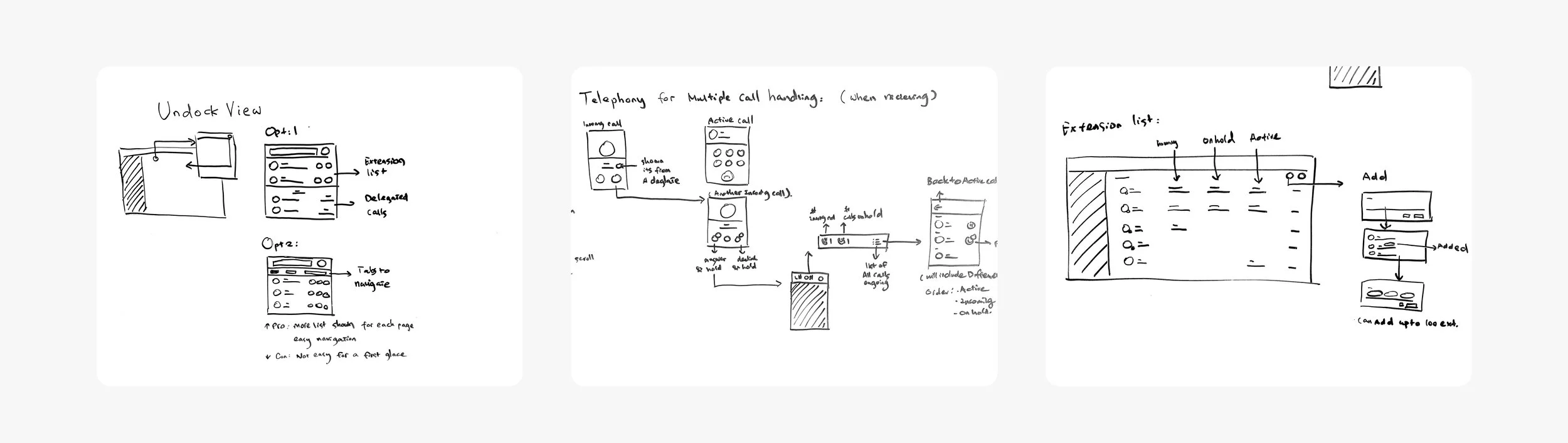
I sketched multiple options for each screen, continually referencing the target audience, company mission, and objectives to provide easy call management with customers.
Hi-Fi prototype
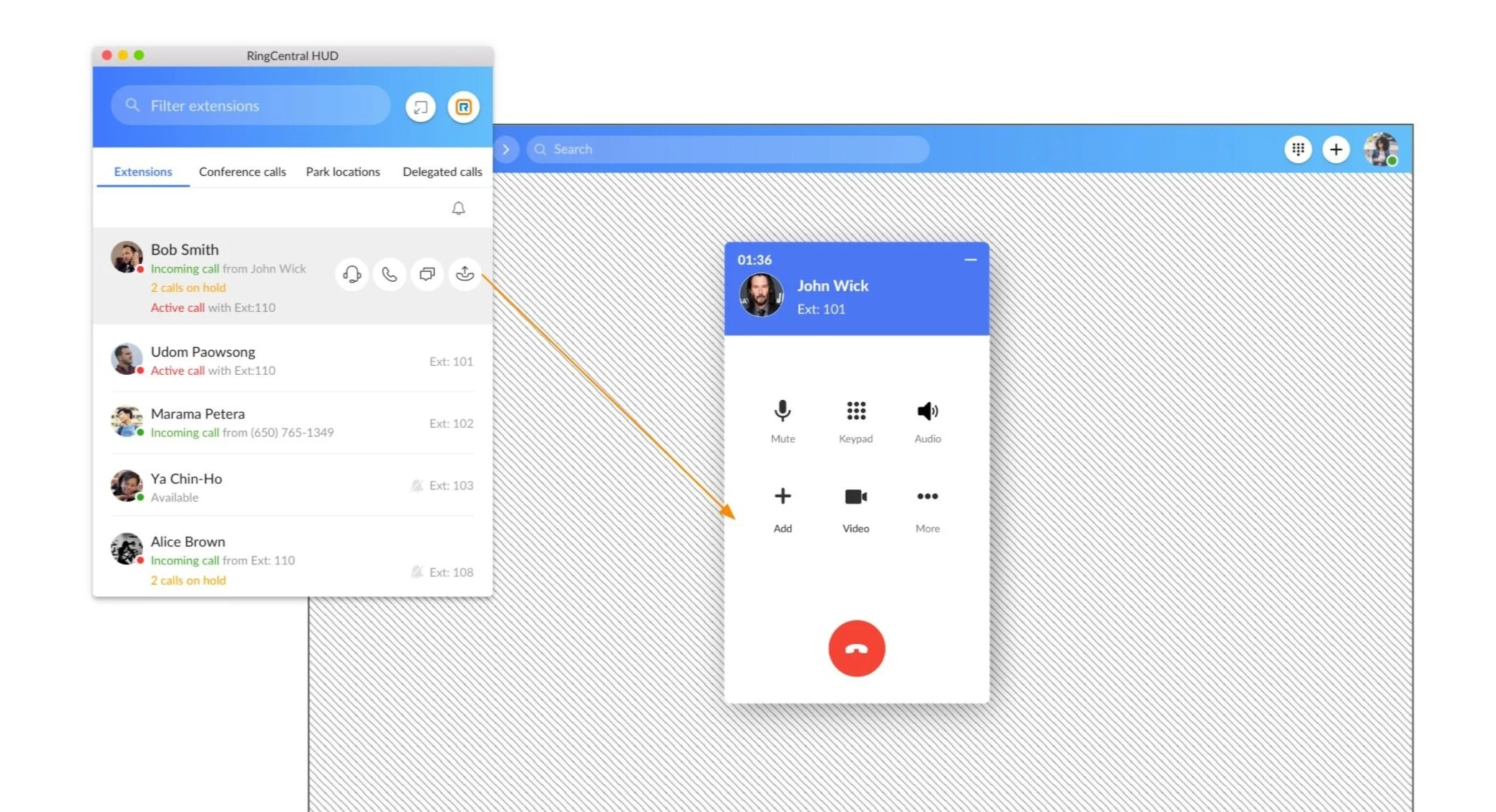
Extension list
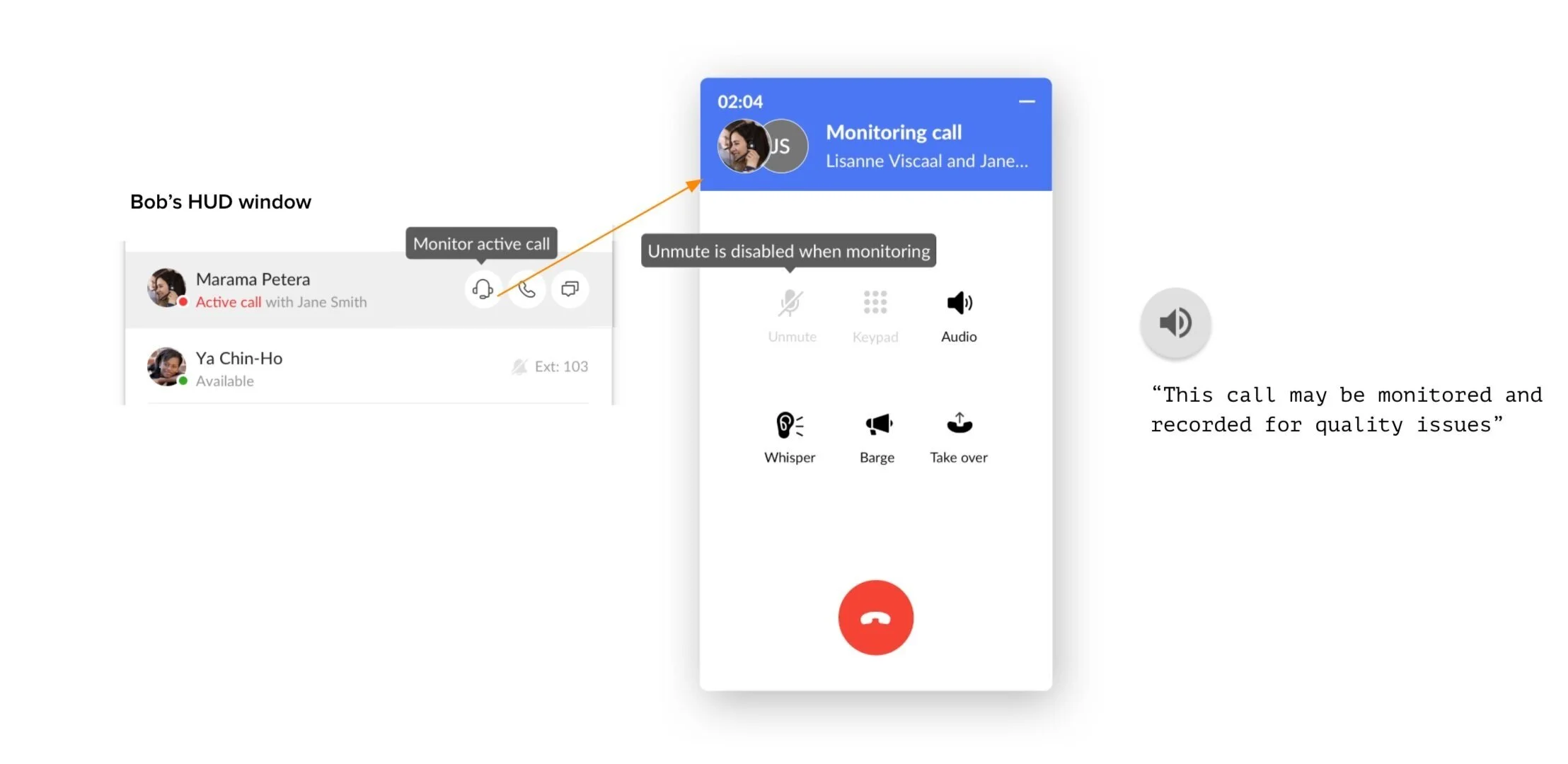
Monitor an active call
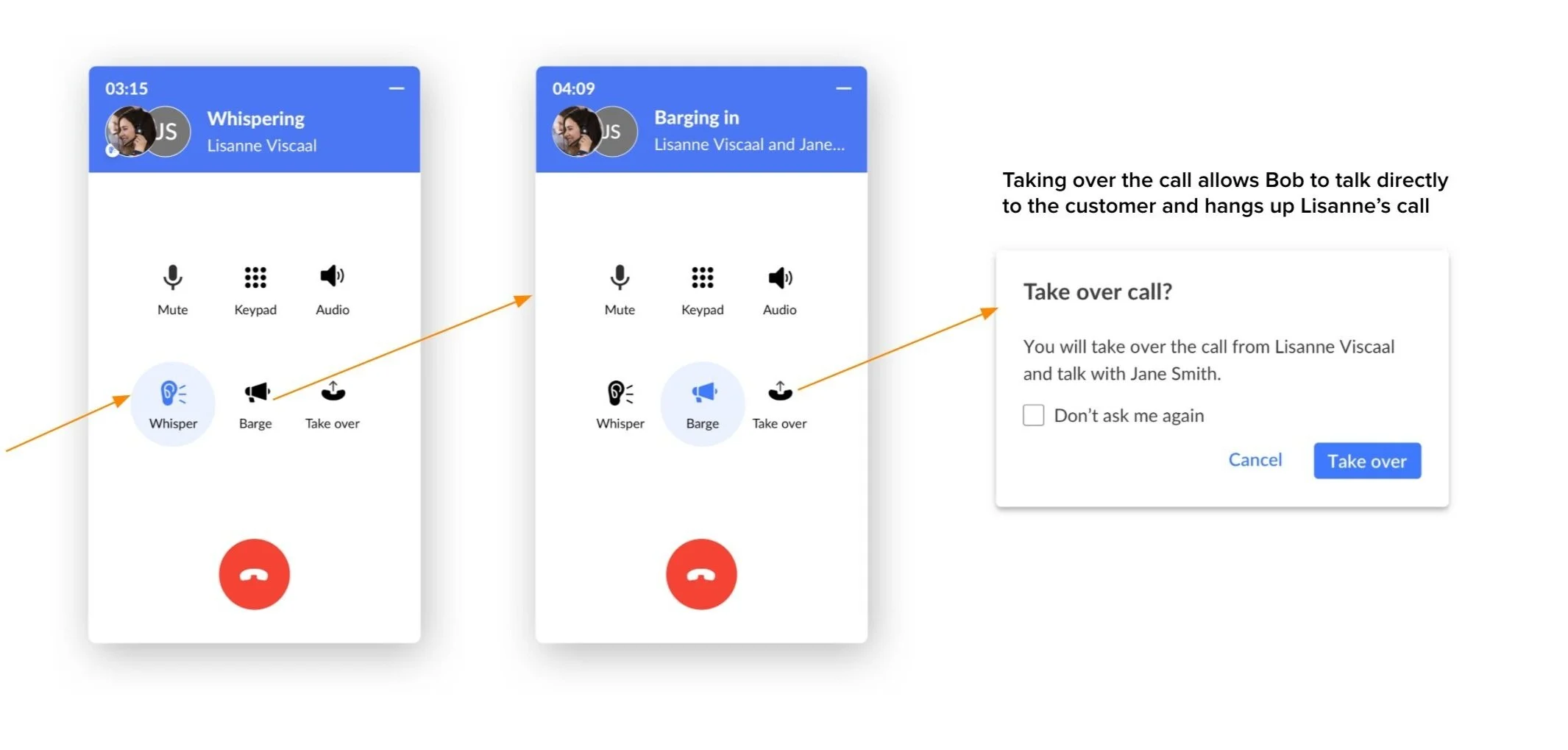
Transfer the call so the available agent can pick it up
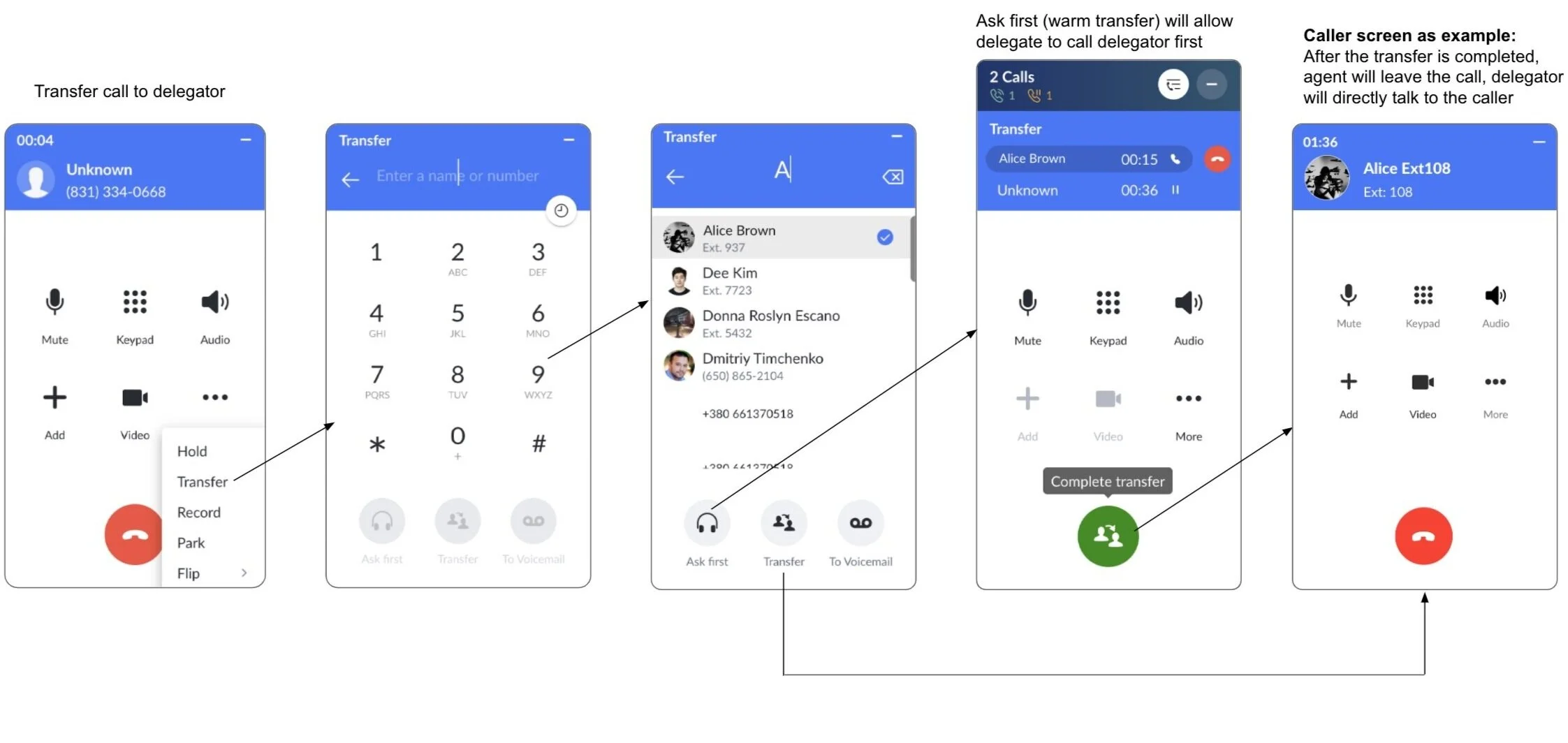
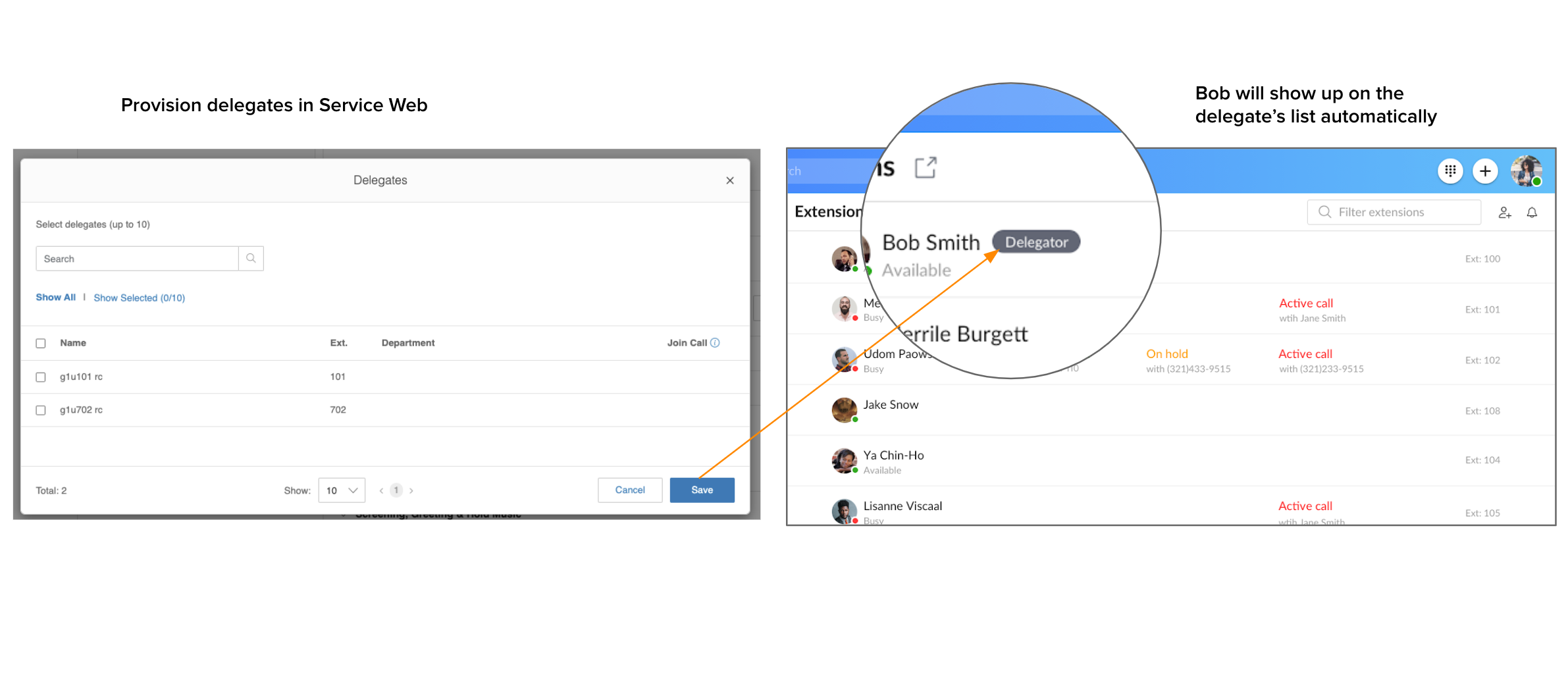
Delegate calls - Delegate can even choose to ask or directly add the delegator in the call
Validation
Conclusion
The stakeholders loved how HUD successfully addressed and resolved many of the existing pain points from some of our biggest customers. It was exciting to show the results of the Hi-Fi validation and have metrics to compare success rates during the process.
Below is the results from our Hi-Fi validation:
Increased the migration for major customers to the new App.
Improved users' experience of checking status and managing calls
Increased users' interactions with the products
Optimized users' comprehension of product value
Project evolution
Phase 1
Shipped the MVP version:
- Setting to turn HUD ON / OFF
- Open HUD undocked view
- Add remove (up to 100) users from the personalized HUD list
- Re-order users within HUD view (drag and drop)
- Search users within HUD view
- Pick up calls
User: Sales team, Designer and PM
Feedback: Good to see other people’s status. Not solving the problem of call management.
Phase 2
Based on the road map, added more features:
- View HUD users call status
- Show incoming calls of HUD list users
- Pick up calls on behalf of HUD list
- Monitoring group: Whisper/Barge/Take over
- Transfer/Flip/Park call
User: Beta customers, Sales team, Designer, and PM
Feedback: Much more advanced, enhanced UX is appreciated by the Sales Team.
Phase 3
With the goal to create a more unified platform for RingCentral Office user and Phone user, we added more integrated features:
- BCA (bridge call appearance)
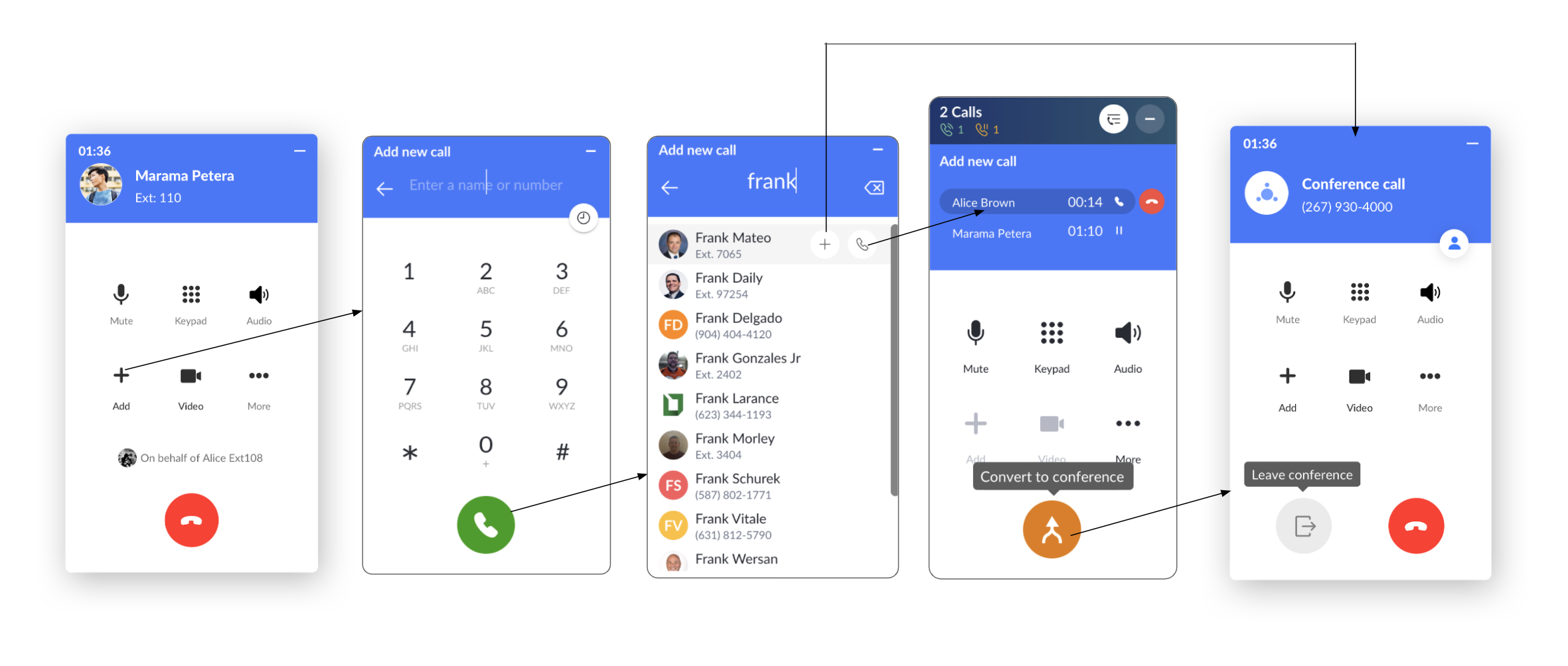
- Dynamic con calls
- Start conference call on behalf of (can leave after starting)
User: End-users
Feedback: Like the way to easily manage the calls without switching apps. But love to see more exploration for VoIP-related functionalities.